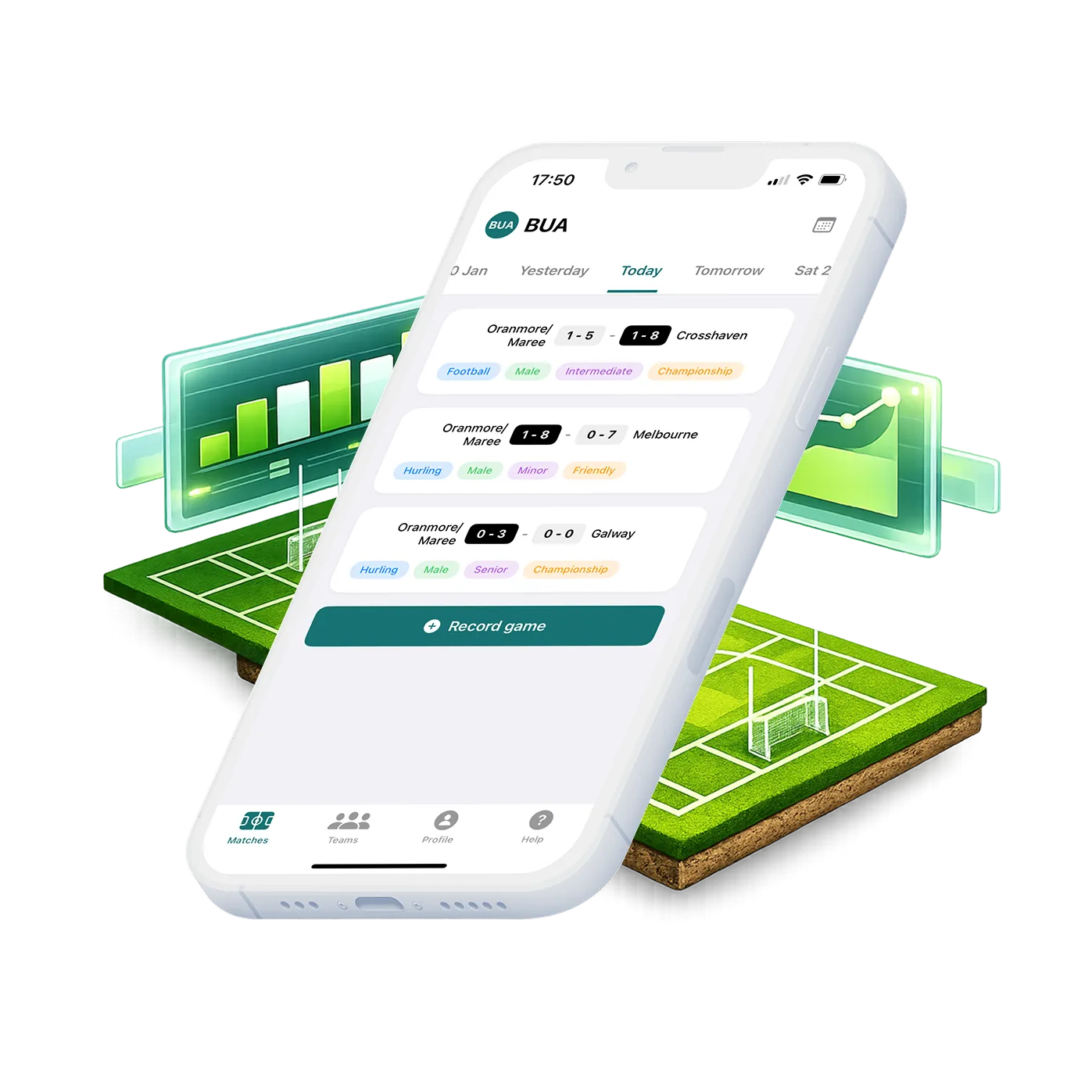
Bua · Match tracking app for GAA coaches
A personal problem became a shipped iOS app used on pitches across Ireland
Designed and built by me, this iOS app allows field sport coaches to easily track game data, enabling them to be more informed when picking their team.
My role
Solo designer and developer. Took a personal problem from idea to shipped iOS app in 3 months.
The problem
Amateur GAA coaches track match stats on paper that gets lost, making it impossible to review player performance over time or make data-informed decisions.
My approach
Ran user research with the target user (my dad, a 40-year coach), validated the core flow through testing, designed the UI in Figma, then built and shipped the app using Cursor, Claude Code, and Supabase.
Outcome
A working iOS app in active use on pitches across Ireland. Coaches can now track stats in real time, view player performance trends, and make team decisions backed by data rather than memory.
Skills
End-to-end product design · iOS development · User research · AI-assisted development · Prototyping
Some background
Each weekend, it's estimated that there are over 3,000 competitive GAA (sporting) matches across Ireland.
At the highest levels, teams have expensive game monitoring tools which record information from the matches, allowing management teams to review and gather insights.
In most cases, however, these teams will have someone on the sideline with a pen and paper, taking down key stats that the management team can reference at half and full time.
My Dad is one of those people on the sideline. He's been coaching teams for almost 40 years. His main gripes are that it rains a lot in Ireland (not something I can fix as of yet) and that paper gets lost between games meaning he has to rely on his memory of matches for information.
Research
A conversation with the user
For this project, I wanted to better understand the problems of one specific user; my Dad. I needed to know his main pain points so that I could figure out the best way I could help. After some discussion with him, the main takeaways were:
- Being involved with multiple teams within the same club makes it tricky to remember details of matches, especially ones that happened some time ago.
- Helping players improve is incredibly difficult, especially if you don't know where their strengths and weaknesses really lie.
- It's hard to know how you're comparing to previous matches. How do you know who's playing well and who isn't?
- Having numbers help to take emotion out of decisions on the sideline. They can be crucial in determining what needs to be adjusted on the pitch.
So, he wants to be able to track information over time…
I tried to distill these things into a single problem statement to help when finding a solution:
- Club-level coaches need a way to easily track player and team performance over time. As a coach that is working with a number of different teams within the same club, that likes to keep track of how the players are performing, I need to be able to track teams and player performance in matches over time so that I can be informed on who is performing well and who isn't.
Is there already a solution?
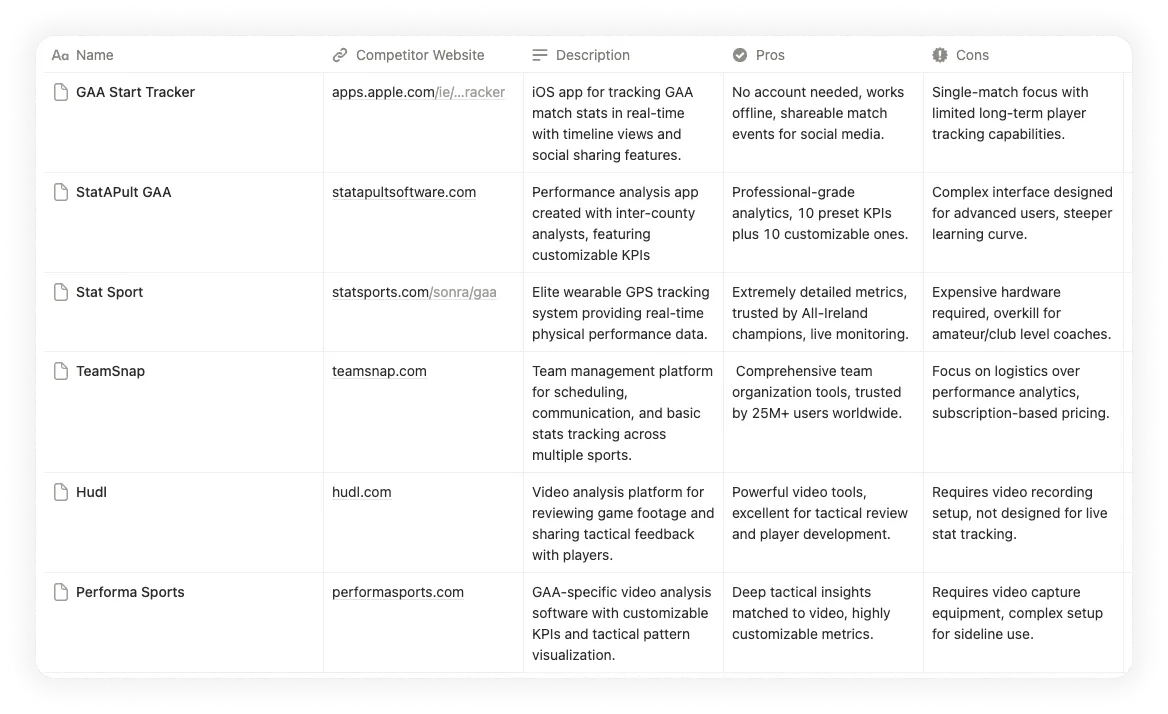
There are some options out there, but they were generally either expensive or difficult to use. Even when broadening the scope to other, more popular, field sports (soccer or hockey) there didn't seem to be anything that fit the bill. The image below is a review of what I found with comments relating to its ability to meet the needs I'd established so far.
What now?
It was at this point, that a couple of rough conversations turned into a real project. I quickly got to work and described a rough sketch of what this project's end goal might look like.
The output of this project must do a few things
- Users are able to keep a record of the games that a number of different teams have played.
- Users can view key information about players and teams from within some interface.
- This tool is better than a piece of paper for tracking stats over time.
Design
At all points in a project like this a major focus is empathising with the user and not trying to completely reshape how they currently solve this problem. Even if they still used pen and paper!
Speaking of pen and paper, that's exactly where I started. The initial workflow I tried looked like this:
- I printed a template that could be used to record specific statistics.
- User would photograph this after they had used it.
- The information in this photograph would be transcribed and persisted to a database.
- Users could access this database, possibly through a UI.
A swing and a miss...
This avenue did not work...Why?
- Working with paper is more challenging than it seems and there's limited space, even with a neat template.
- Paper would need to be printed for each game and viewed later on in a separate tool. I felt that adding this overhead was not productive.
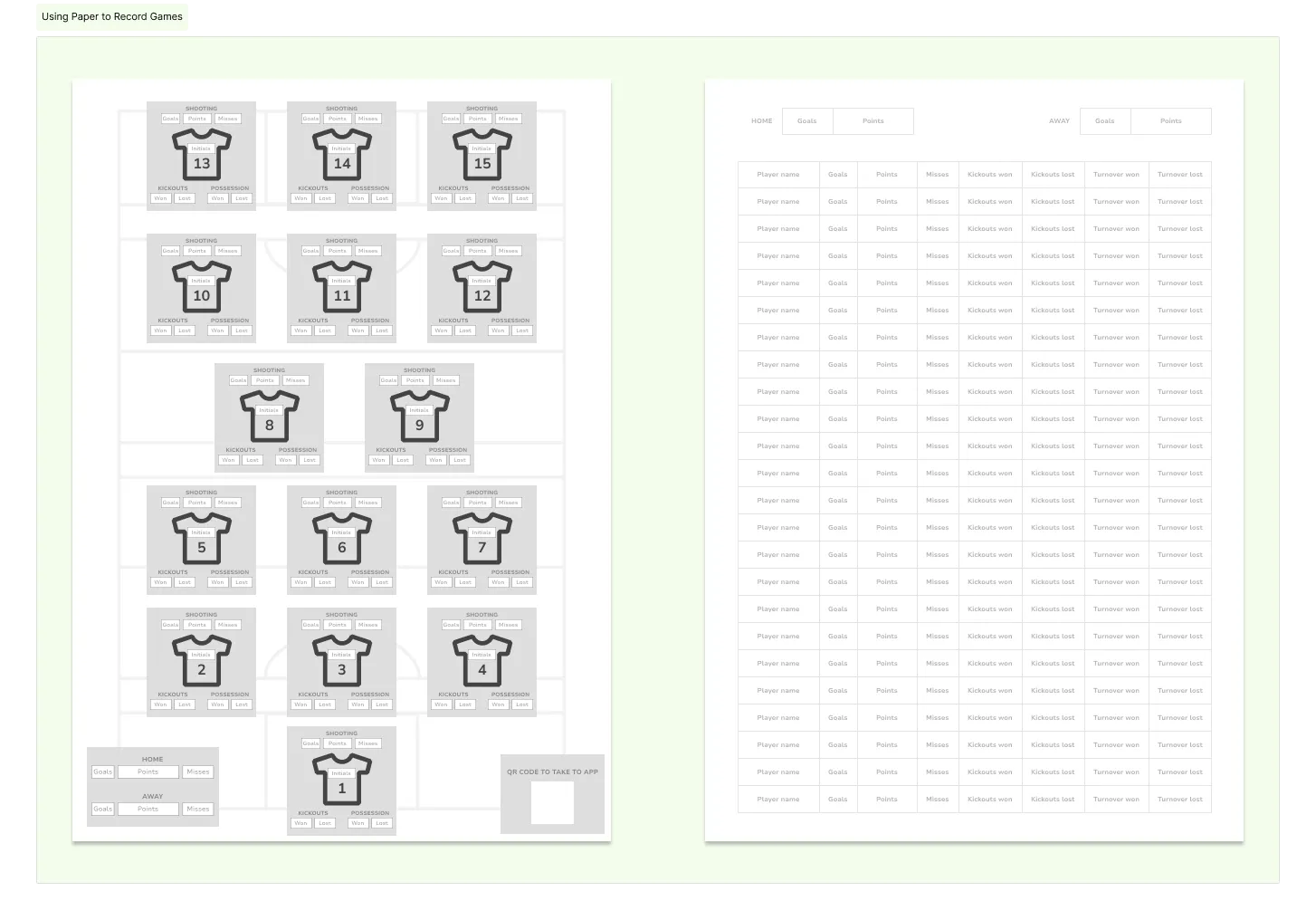
In hindsight, not my greatest idea. Let's try something else
After lots more sketching sessions and back and forth discussions with the main user (once again, my dad) I started working on what I felt was the most important flow: For a given team, we want to capture the right stat, for the right person, at the right time.
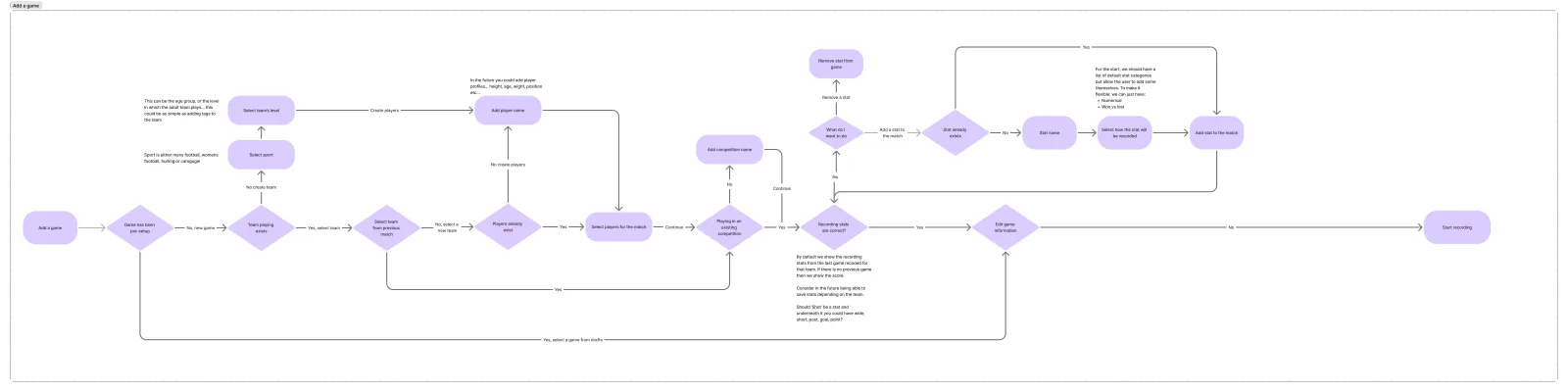
Time to sense check and validate?
I ran a rough testing session by going through the different task flow options with the user without giving indication to which I thought was best. We discussed pros and cons of each before landing on what we felt would work the best consistently.
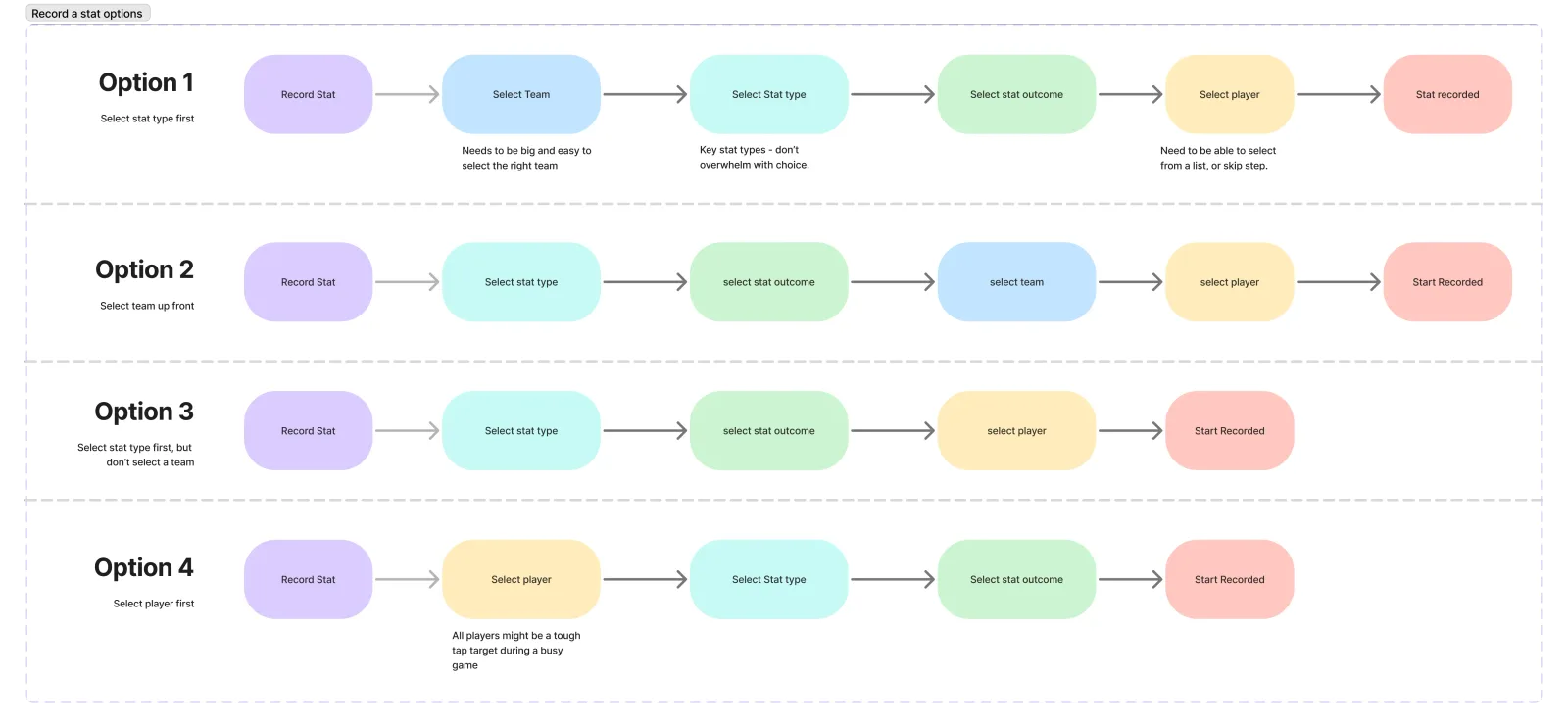
Hang on a minute, maybe I can actually build this
At this stage, a dangerous idea took root in my mind; what if I actually try to build this?
Full of self confidence, and with an unwavering belief that Claude could take on the world, I committed to that thought.
This decision was crucial in assisting my design process. This wasn't just exploration any more, there was a clear objective. This app needed to simple enough for me to build but it also needed to offer real value to its user.
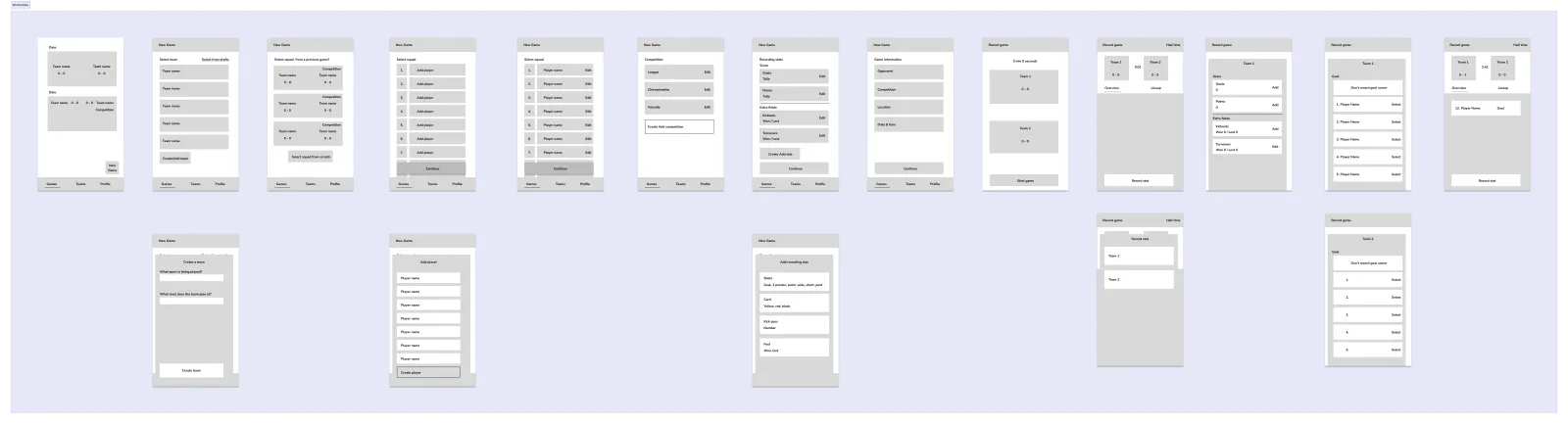
What does 'this' actually need to be able to do?
After yet another chat with the end user, we decided upon a set of features that would need to be in place to meet that core important flow mentioned above along with a base for people to trial the application out so that more data could be gathered on what works and doesn't work.
- Multi user support (in case other people wanted to use it in the future)
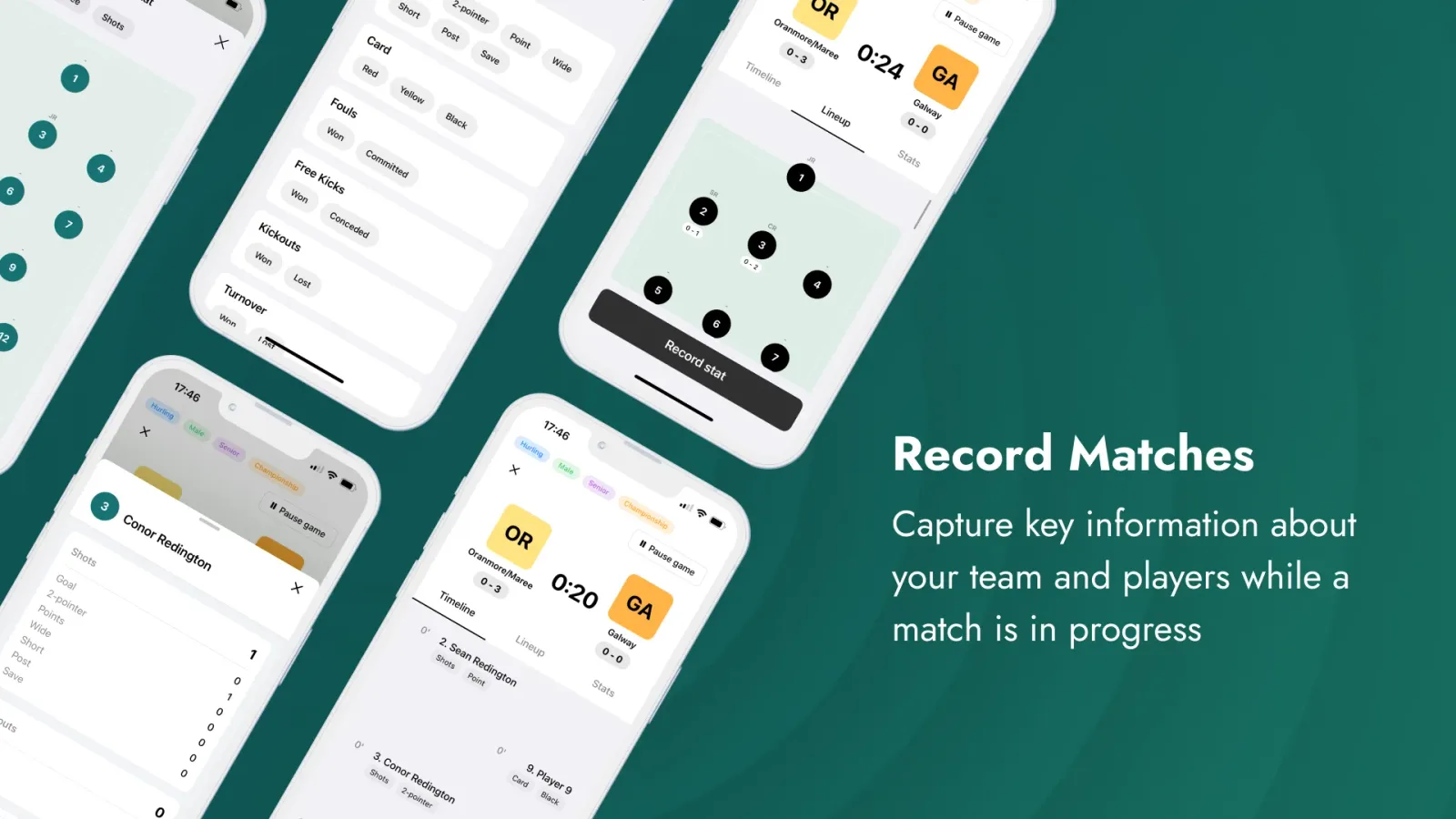
- The ability to record a number of different types of stats for both the home and away team while a match is in progress
- Support for multiple different teams within the same club
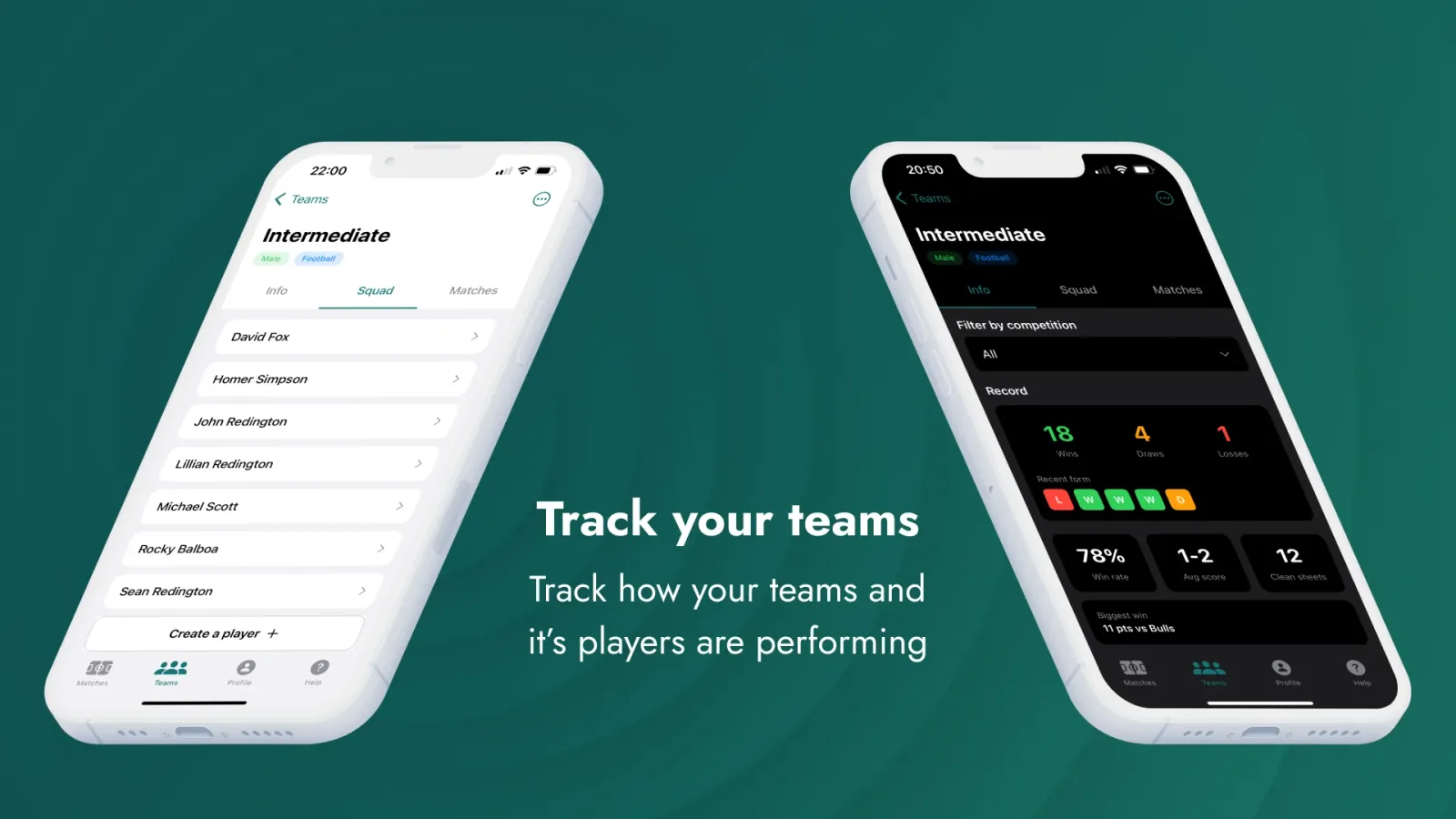
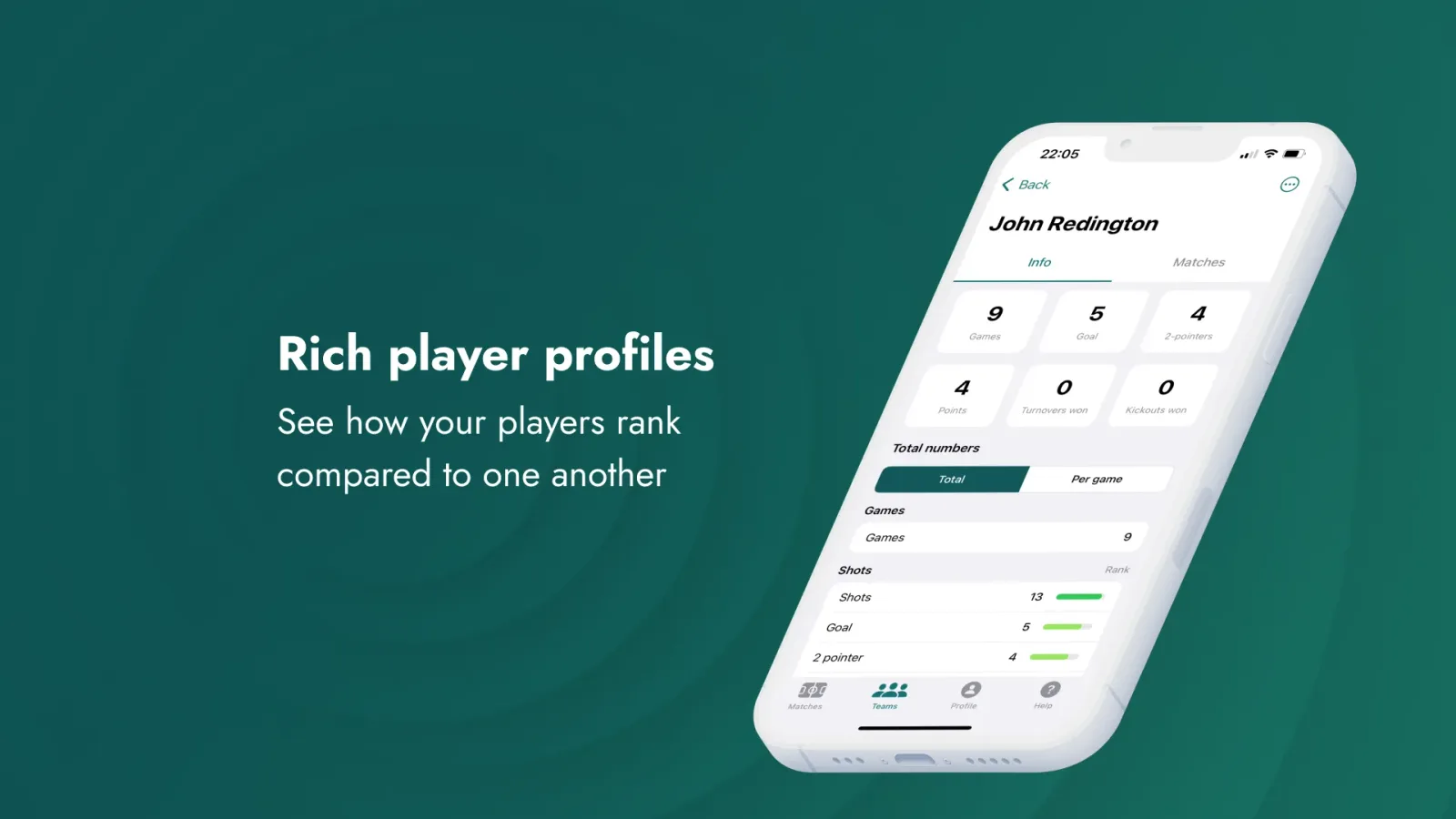
- Tracking of team and player data over time
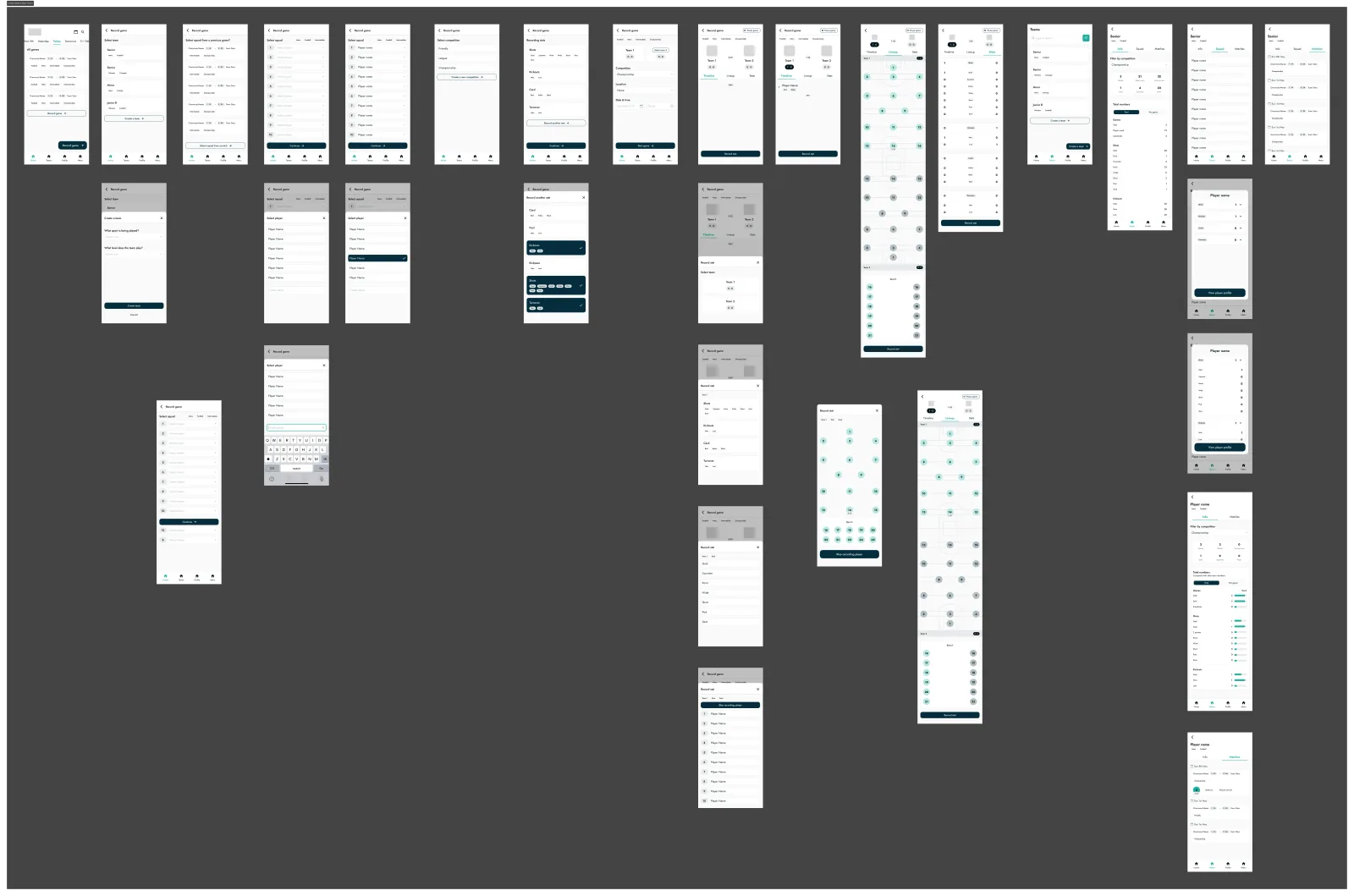
After creating some wireframes for the main screens and key flows, higher fidelity screens were refined that I felt were just about good enough to move forward with building this bad boy.
Build baby build!
Moving from Figma to Cursor and Claude Code
Now I was in uncharted water (my computer terminal), fishing for one of nature's deadliest animals (a working command) armed with only a fishing net (youtube).
After lots of research, I landed on a set tools that could be used to get everything going; Cursor (for code editing), Claude Code (for code writing), XCode (to allow me to create an iOS app) and Supabase (to manage all user data and the backend).

I was left to prompt to my heart's desire. I thought it would be as simple as pointing Claude at my Figma designs and watching as it created a polished app in minutes. These turned out to be the thoughts of a naive madman.
What can AI actually do?
In an experiment to see what the Claude Code could do, I entered what I believed to be a reasonable first prompt: Build this app that I have designed in Figma. The app should allow users to record information from matches, like shown in the designs.
It built something that was as useful as a wet towel in a rainstorm. I knew I'd have to provide a lot more nuance to get something that actually worked.
Please, please build the thing and stop breaking everything!
What followed was a long cycle of prompting, iterating, testing, and then going again. This involved a LOT of me asking for one thing and getting another. Eventually though, I was making progress, and boy was it exciting.
Brick by brick, prompt by prompt…
Through research, my prompting improved, along with my technical proficiency. I was adding more and more features to the app while testing each one with the user. In an effort to draw a line in the sand, a final list of requirements were made and a deadline was set so that the app could be tested during the beginning of the new season.
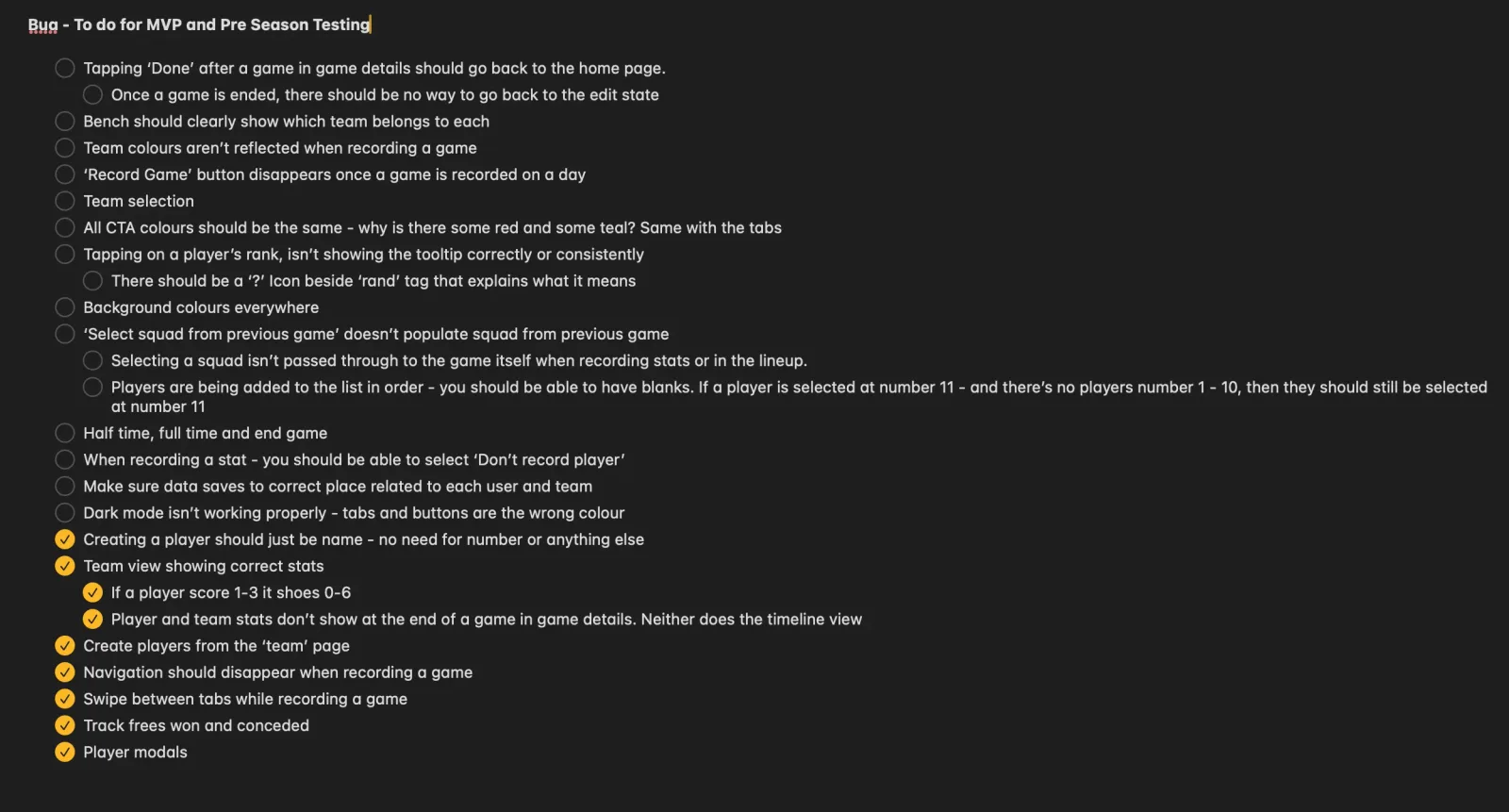
It works, oh my god, it works!
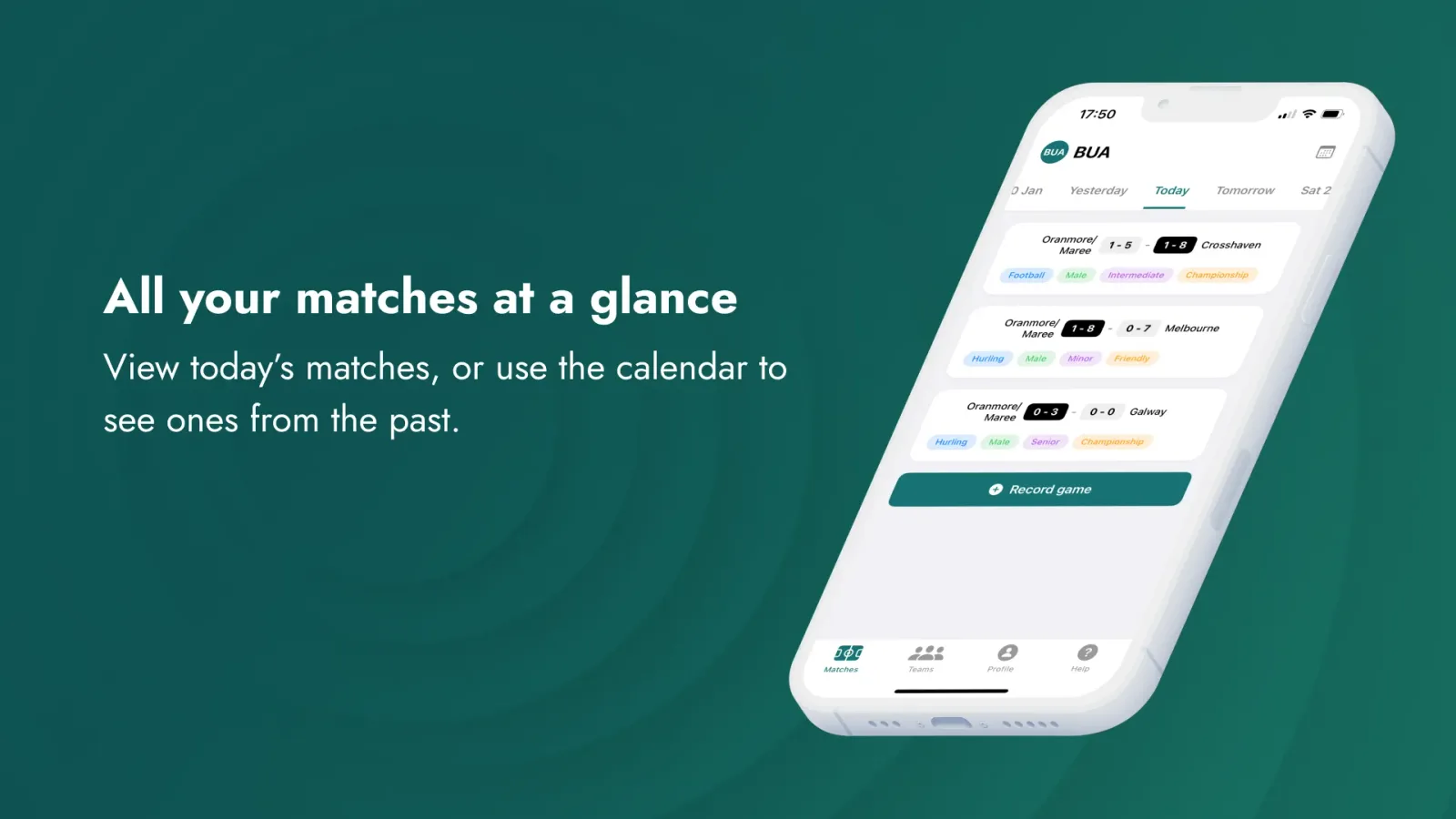
The finished app is now being tested on pitches around Ireland. Looking back on the goals and the initial user problem, this app is creating a novel, useful, impactful solution to a real person's problem.
The user can create teams and players, record information on their matches, and then get insights to their performance, relative to their peers.
Conclusion
The question on everyone's lips: has it made me a billionaire yet?
As of yet, no it has not, however, I am immensely proud of the outcome: my dad loves and is currently using it (and reporting bugs) almost every weekend.
The next steps are hard to tell, I've reached a place where I've created a useful tool, however, I have lots of ideas for improvements, along with an abundance of problems that still need solving. Remember that rain?
What can I take away from my experience?
I had a lot of fun with this project. Due to its scale, I could have a play around with lots of different things, and I forced myself to learn so much about building. In the future, I'm interested in seeing what the new generation of 'maker' might be, and how I could embrace the process of building in my role going forward.