Workday · Enterprise HR software
Optimising Workday's fastest-selling product for web and mobile
As part of a senior design team, I owned key areas of the web and mobile experience, helping deliver a product used by millions of HR users worldwide.
This case study is password protected
Some background
Workday is a Fortune 500 company and one of the world's leading HR management software companies. The product that I worked on; Workday Help, provides HR knowledge base and case management solutions that help employees find the information they need faster.
This was a large product that consisted of 2 scrum teams, one that worked on solving problems for the case solver and one that solved problems for the employee that was raising the issue.
I was fortunate to get to work across both teams on both web and mobile projects with a supportive and incredibly talented design and dev team.
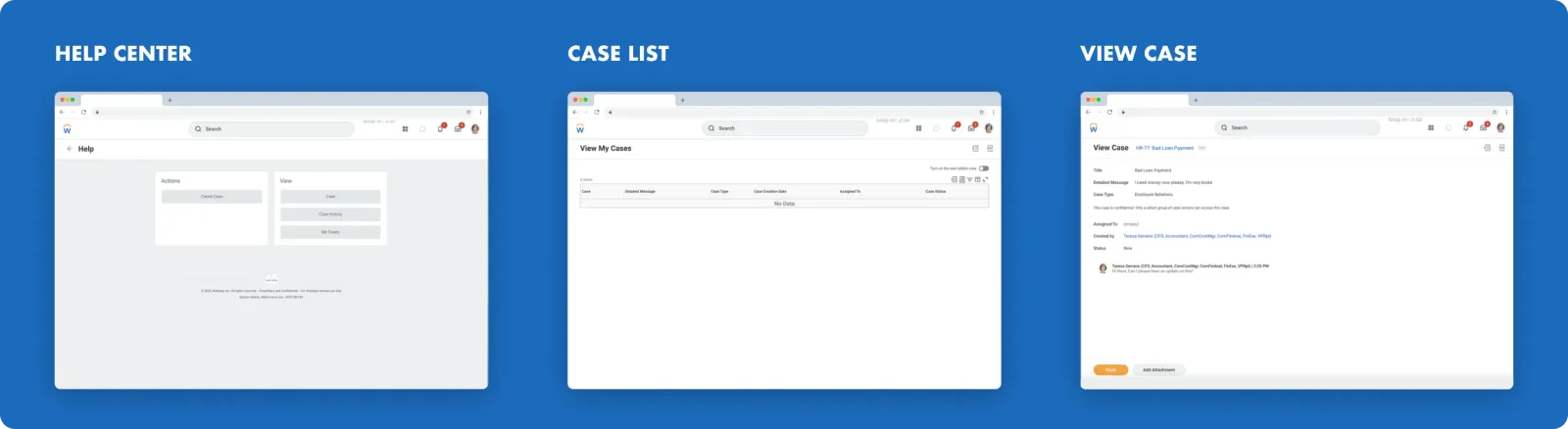
There were some basic screens built out by the developers using Workday's proprietary coding language Xpresso (XO), however these fell far short of the mark with regards to the user experience that we were pushing for, and given the interest in the product as a whole, we were granted the opportunity to re-work these screens using custom components after conducting a thorough round of design and research iterations.
The problem
There were three main problems that we were looking to solve, all of which were related to Workday users that were trying to get assistance from HR professionals.
-
There's no central location for users to get answers. Workday users that are in need of help from their HR team need a central location where they can get assistance from HR professionals so that they can view and have their queries resolved as effectively as possible.
-
Users can't create a case on their mobile device. Workday users that interact with Workday using their mobile device or tablet need a way to easily get answers from the HR team on the go.
-
Users need a better way to view their old and in-progress cases. Workday users that have created cases before need a way to be able to view and track their cases so that they can ensure that they have a record of all of the cases that they have created.
Our goal
Within the help product, Workday users would need to have the ability to view and manage knowledge base articles, raise cases related to any HR queries they might have, and have a central place to find answers on any of their HR needs both on web and on mobile.
The approach we took
As I was working with a large, design-forward team, I often ran sketching sessions in order to get a large amount of input which I could then narrow down into finished designs. These sessions allowed us to go from low-fidelity sketches all the way to high fidelity screens, getting input all the while.
User testing
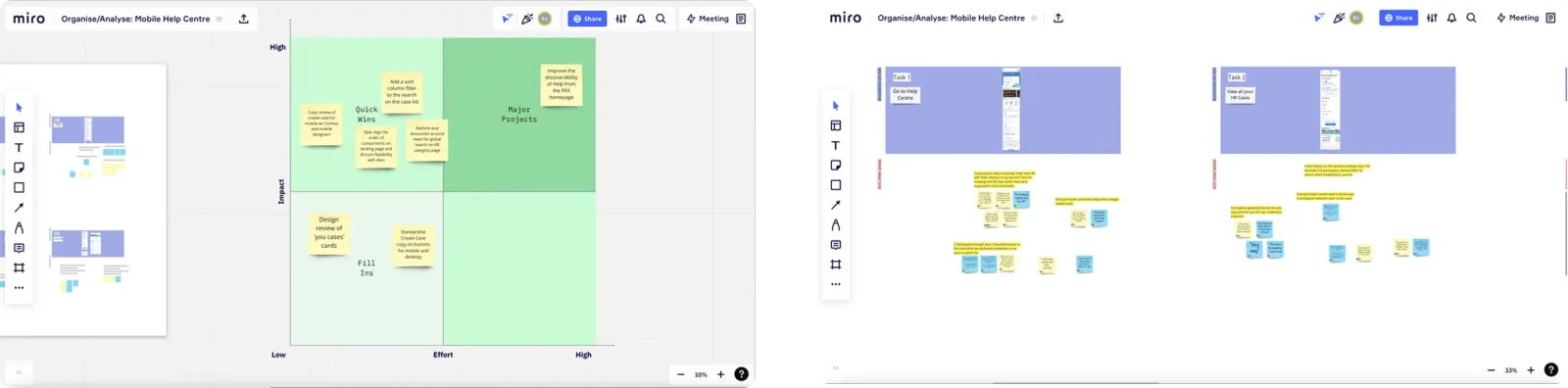
Along with the help of a senior designer, and with the support of a researcher, we ran a number of testing campaigns using a tool called Dscout. This allowed large amounts of users to use and provide feedback on the designs.
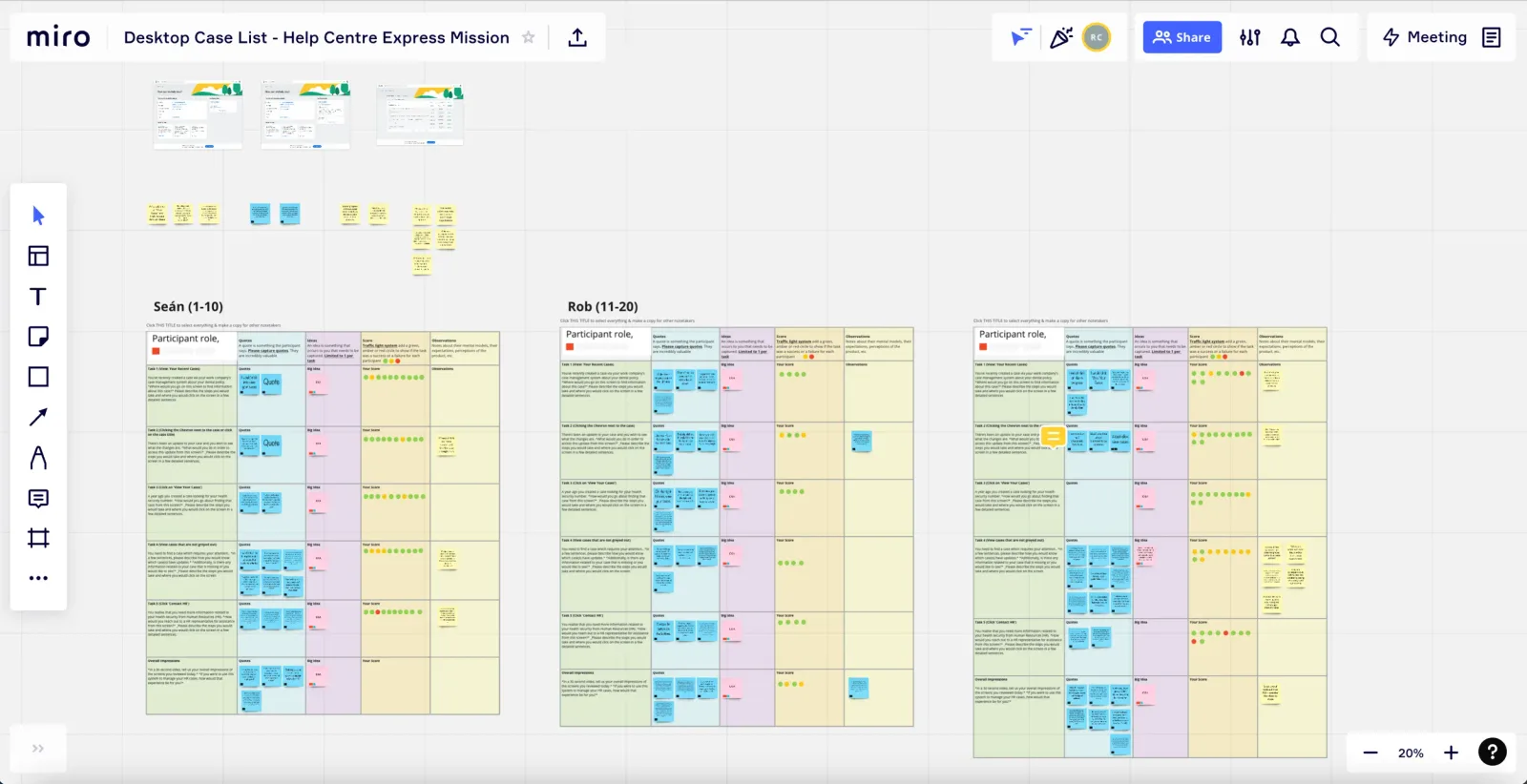
In one case, we ran an express Dscout mission with over 30 participants to gain user feedback on the desktop screens and find out how we could go about improving them. We took notes on all the videos submitted by users in Dscout on our Miro board which we then grouped and turned into insights to allow us to iterate effectively on our designs.
Finalising the design work
Help center
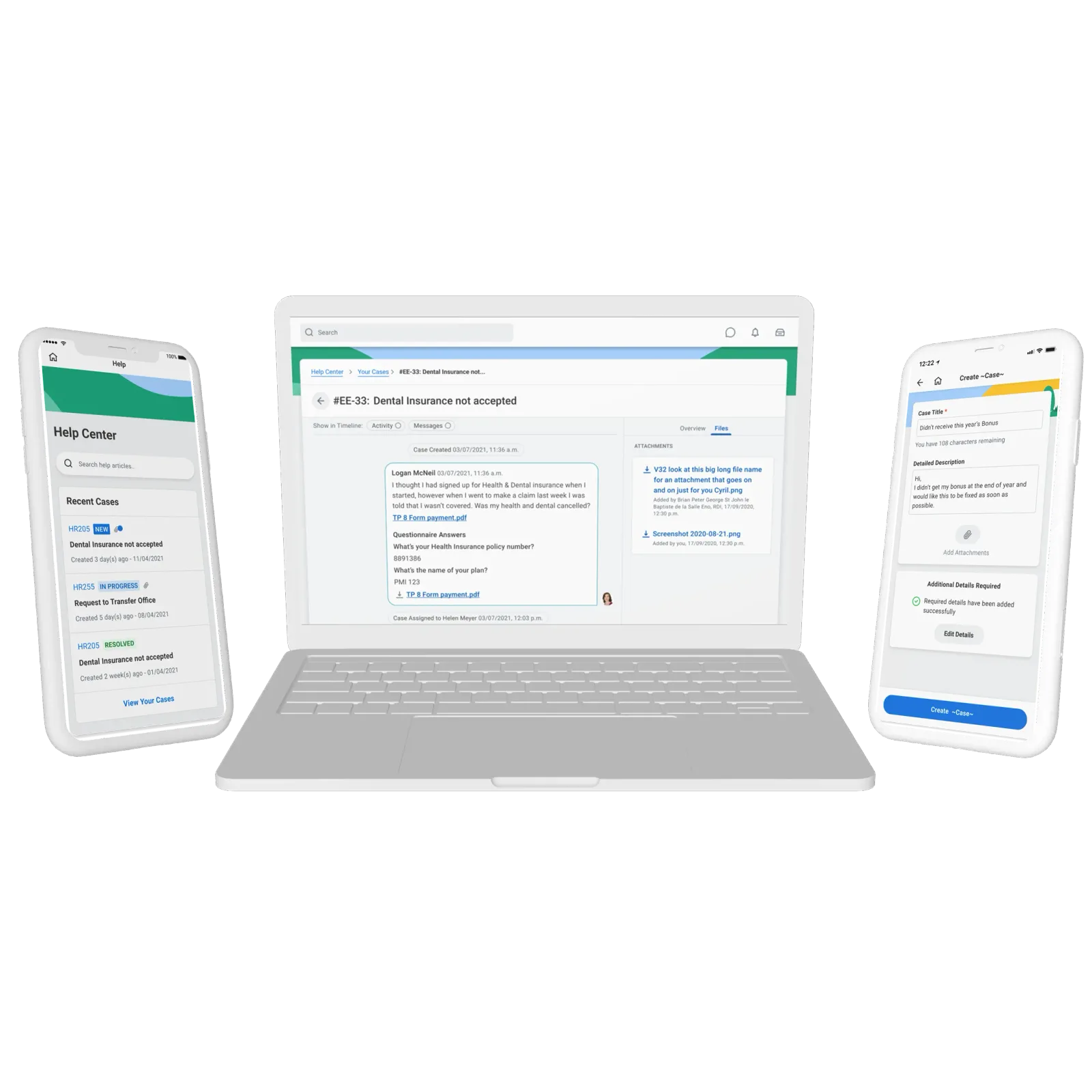
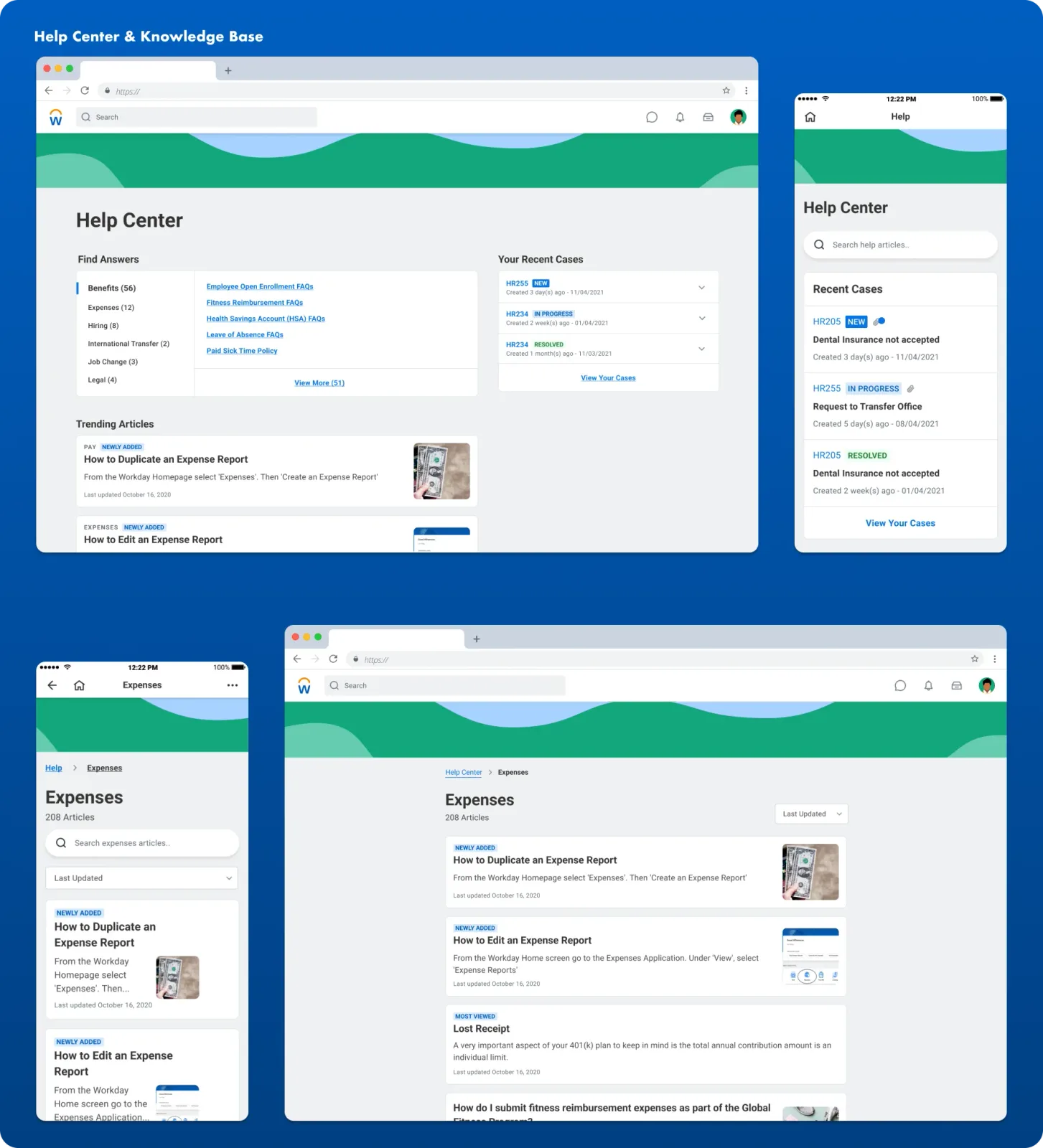
Help Center is the central point of entry for Workday users that wish to have their query answered. Users can find answers based on categories or trending knowledge base articles, view their recently created cases, or create a case to get assistance from a HR professional.
Create case on mobile
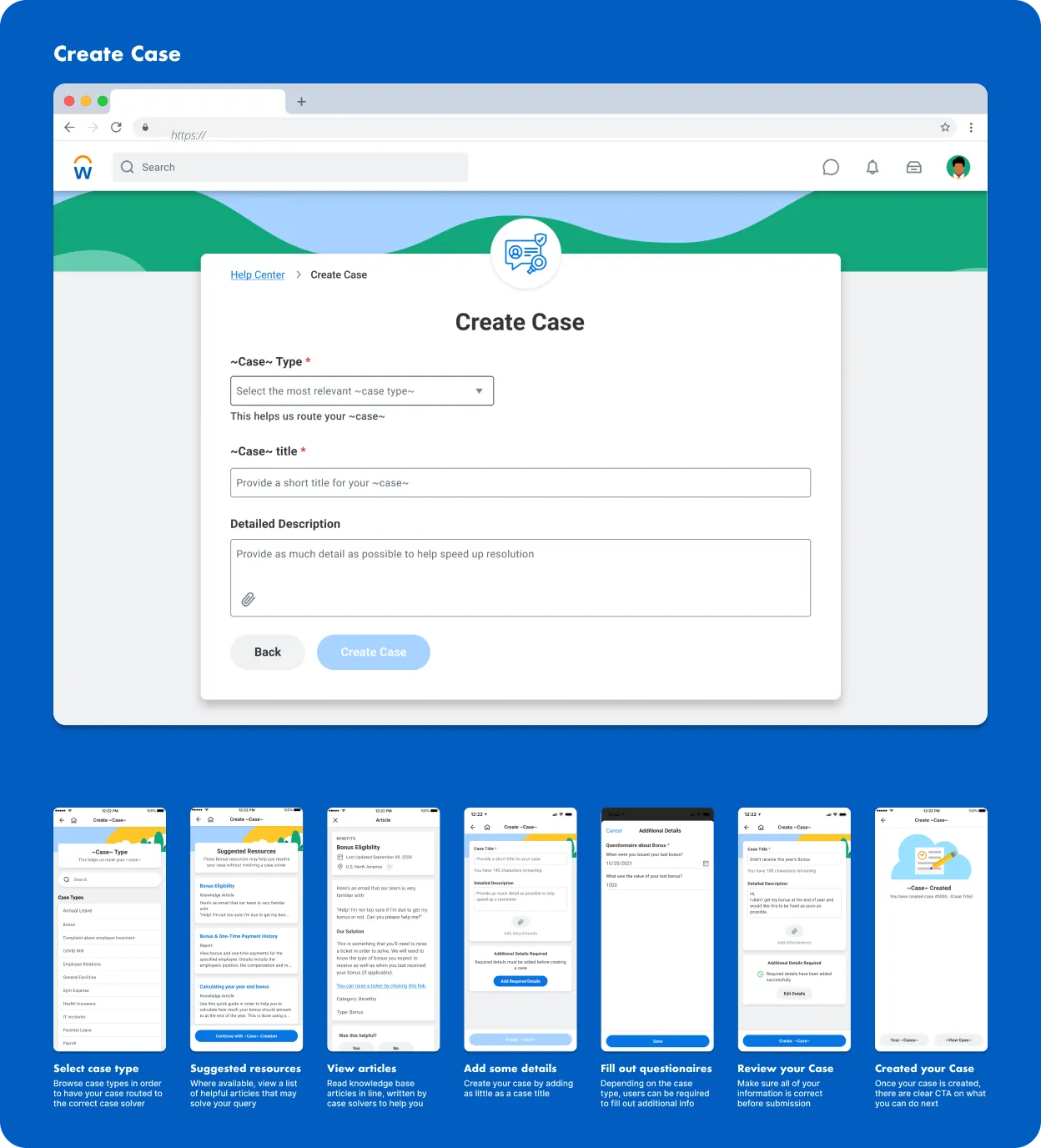
To ensure that users were able to easily create cases using their mobile devices we tested a number of iterations of these flows in order to get it right.
One of the issues we looked at solving here was mitigating the volume of cases raised where a knowledge base article already existed, relieving pressure on case solvers.
To do this, we surfaced articles to users related to the case type that they were creating. When we tested this, we found it to be a delighter for users as it would solve their query without having to contact a HR professional.
When we tested this, users' were delighted that they could find answers themselves instead of having to wait for someone to respond to their case.
Your cases
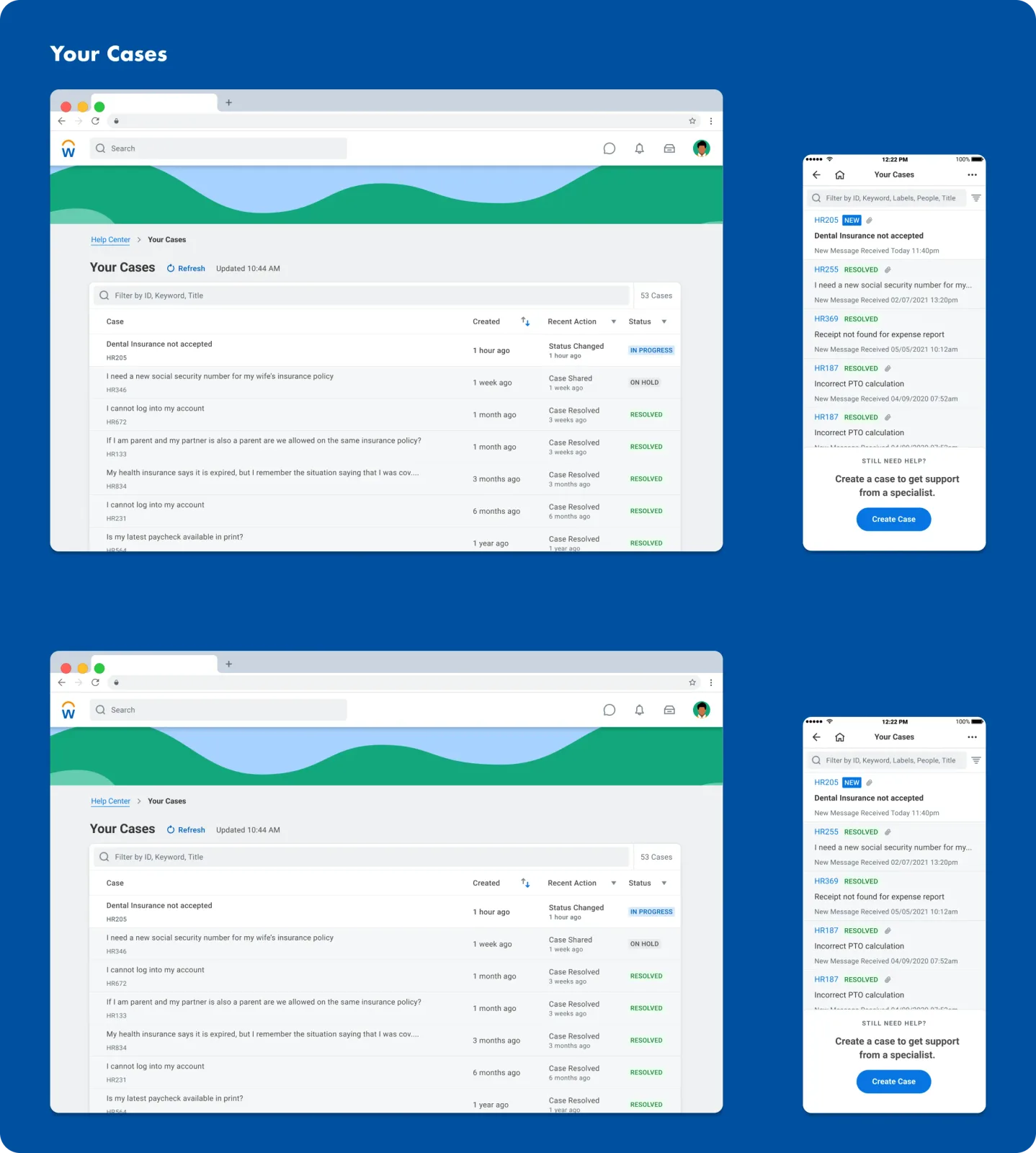
Once a case had been created, users needed a way to track the progress of that case on both web and mobile, and easily reply to case solvers to enable them to solve their cases as swiftly as possible.
The impact
- Workday Help now exists as one of Workday's key products
- The team has been extended greatly, at my last check had five scrum teams and more than 10 designers and researchers working directly on the product
What I learned
Aside from learning in the areas of research, interaction design and visual design, I really valued the interpersonal skills which I gained by working in a team.
I now had confidence in my ability and thoroughly enjoyed when we tested our assumptions to find issues with our work and users told us that we solved a real pain point for them.